Home / Blog / Guides & Setup
Guides & SetupWhat Is Scan and Pay? Settling a Restaurant Bill From the Table
Scan and pay lets a guest scan the table code, land straight on the printed bill and settle it. Here is how it works and when it does not.
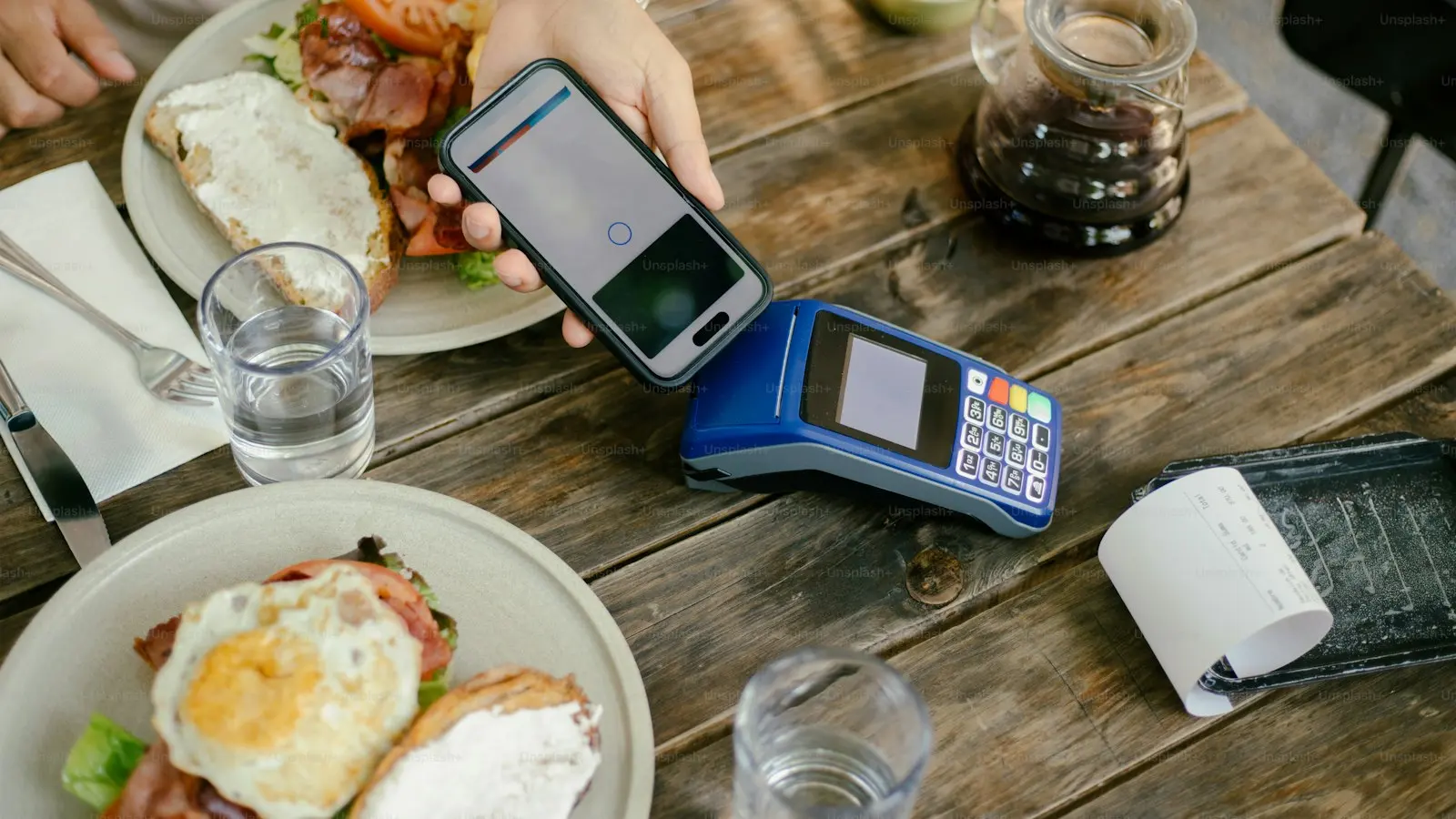
Scan and pay is the moment at the end of a meal, done from the phone. The guest scans the QR code on the table, lands directly on the bill your POS has already printed, and settles it. No menu, no sign-in, no waiting for a card machine to be free.
It is not a separate product from QR ordering. It is what happens when a table has a bill, and it works whether or not that guest ordered from their phone in the first place.
What is scan and pay?
Scan and pay is a bill-first flow. A guest with no existing session scans the code on an order-and-pay table, and because the table has a printed, unpaid bill, the storefront skips everything else and shows them the bill.
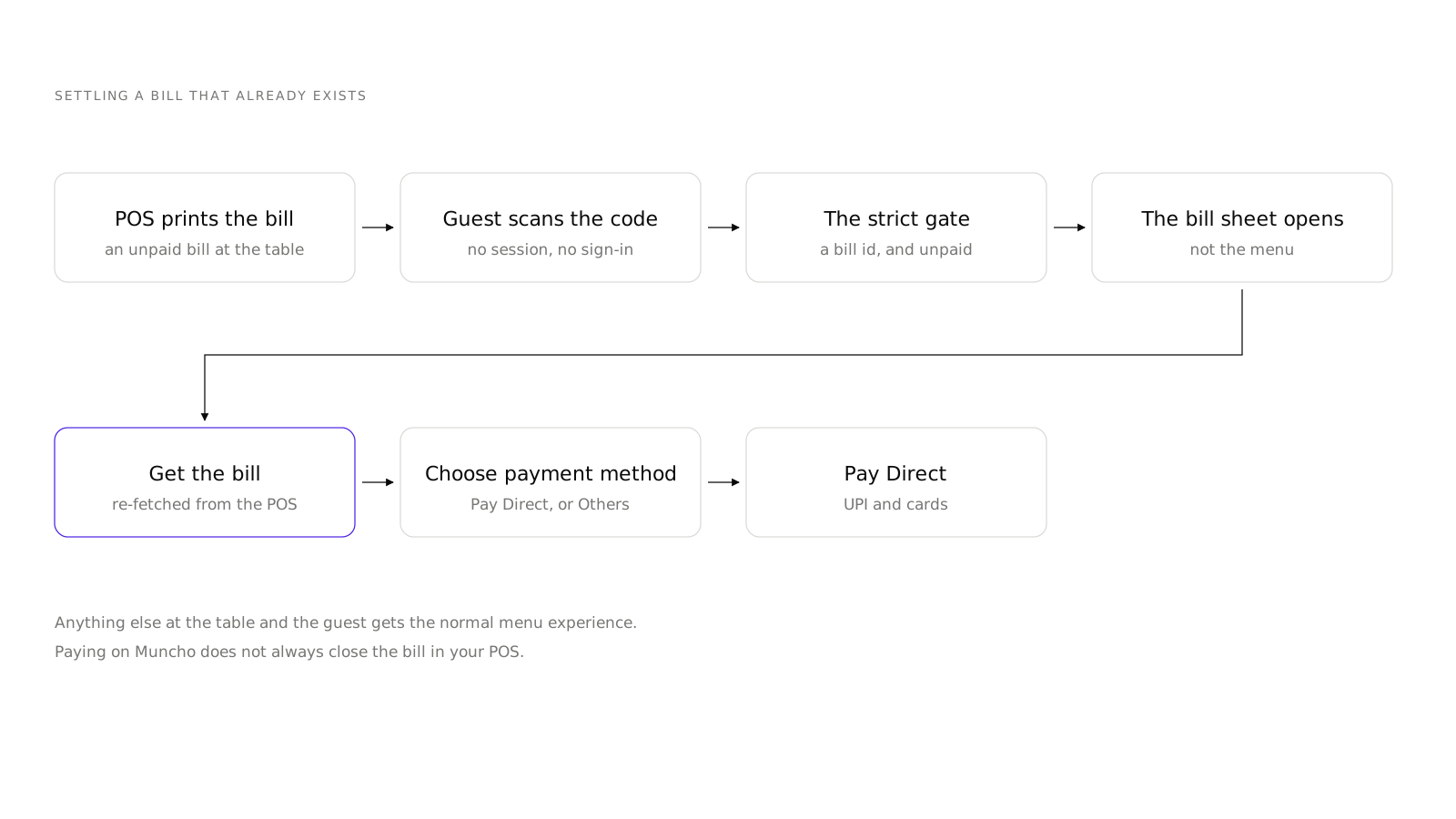
The gate is deliberately strict. The table must have a bill id, and the bill must be explicitly unpaid. Anything else and the guest gets the normal menu experience.
That strictness is what makes it safe. A guest who sits down at a table that has just been cleared does not land on the previous party's bill.
How is it different from order and pay?
Order and pay is a whole service flow: the guest browses, orders, and pays. Scan and pay is only the ending, and it works for guests who never touched their phone during the meal.
| Order and pay | Scan and pay | |
|---|---|---|
| Guest browses the menu | Yes | No |
| Guest places orders | Yes, from the phone | No, through a server |
| Sign-in required | Depends on your Guest login setting | No session needed |
| What the guest sees first | The menu | The bill |
| When it is available | Whenever the table is open | Once the bill is printed and unpaid |
A venue running order and pay gets scan and pay for free, because it is the same table and the same code.
What does the guest see?
A bill sheet whose title changes with the state of the table: "Pay the bill", "Your bill", "Your orders" or "Your table". The action button reads "Get the bill", "Get Bill" or "Pay ₹" with the amount.
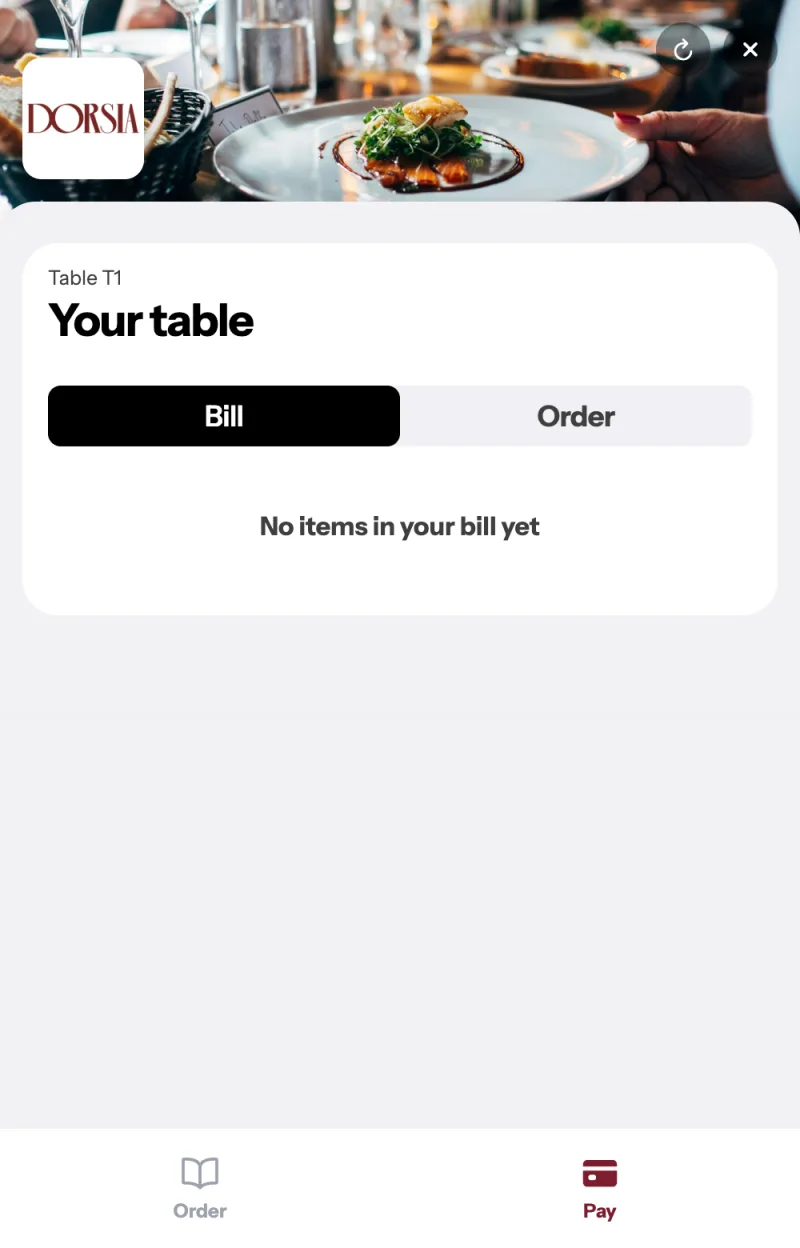
If the POS bill is still pending, the sheet carries an honest line rather than a guess at the total:
These are the items you ordered here. Get the bill to include anything your server added at the table.
That sentence exists because of a real failure mode. A guest who ordered three things on their phone and then asked the server for a dessert should not see a total that is missing the dessert. Pressing Get the bill re-fetches from the POS so the number is the number.
Then the guest picks a method. Muncho's own chooser is headed "Choose payment method" with two entries: Pay Direct, which is UPI and cards, and Others, which is an information sheet about aggregator vouchers rather than a payment route. Pay Direct opens Razorpay Checkout, so guests see whatever your account has enabled. The platform fee on a dine-in bill is the 2.1 per cent listed on the pricing page, whoever you have set to bear it.
Why does the bill get re-fetched?
Because at a PetPooja table, a stored bill can be wrong within a minute.
The storefront never trusts a copy. Every time a guest asks for the bill at a PetPooja dine-in table, it comes fresh from PetPooja. That shipped in September 2026 and it is the reason the totals now match the till.
Prism venues do not need it. Prism bills sync from the POS about once a minute, so the stored copy is already current.
What does not happen when a guest pays?
The bill does not always close in your POS, and your staff need to know this before the first night rather than after it.
- At a manual-settlement venue, the guest paying on Muncho does not settle the bill in the POS. Your staff do.
- On a PetPooja bill carrying a discount, the bill is left for staff even when you have Settlement set to Automatic.
- Open is not the same as unpaid. A bill can be paid and still showing as open in the POS.
Switching Settlement to Automatic means Muncho settles the bill in your POS for you, in the card's own words, with that discount caveat attached. It is one setting for the whole restaurant. The mechanics are in the PetPooja integration. It is worth testing on yourself: open an account, pay a real bill for a small amount, and watch what your POS does next.
What happens if nobody pays?
An unpaid bill is force-closed after thirty minutes and the table is vacated, by a job running every three minutes. Manual-settlement venues whose bill already carries payment data are exempt.
This is a housekeeping behaviour, not a write-off: the money question is still yours to chase. What it prevents is a table showing occupied all evening because a guest opened a bill sheet and then paid at the counter.
What do you need to run it?
- A POS-integrated venue. Scan and pay ends in a bill, and bills come from PetPooja or Prism.
- Table QR codes that match your POS table numbers. See table QR setup.
- A payment account so the guest can actually pay. See Razorpay for restaurants.
- An outlet on order and pay, because that is the outlet type the bill-first landing is built for. It is part of the dine-in product rather than a separate purchase.
- Staff who know what to say. "Scan the code on your table to pay whenever you are ready" is the whole script.
Is it worth turning on?
The argument for it is table time. The gap between a guest deciding to leave and the money being collected is dead time on a table you could have turned, and it is the part of service guests complain about most on a busy night.
The argument against is that some guests will still want the card machine, and you have to carry both. That is a cost of one machine, not a reason to skip it.
The setup is nearly free if you already run QR codes at the table: no new print, no new settings page, and nothing extra to teach beyond one sentence. The rest of the dine-in configuration is in Dine-in Settings.
Questions restaurants ask
What is scan and pay in a restaurant?
Scan and pay is when a guest scans the QR code on their table, lands directly on the bill that has already been printed, and settles it from their phone. There is no menu browsing and no sign-in step; the bill is the first thing they see.
Does the guest need an account to pay?
No. A guest with no session who scans an order-and-pay table with a printed, unpaid bill lands on the bill rather than on the sign-in screen.
What if my server added items after the bill was printed?
The guest presses Get the bill and it is re-fetched from the POS at that moment, so anything the server added is included. Until they do, the sheet carries a note saying exactly that.
Does paying through Muncho close the bill in my POS?
Not always. At a manual-settlement venue, and on a PetPooja bill carrying a discount, the bill stays open and your staff close it in the POS.
How long does a table stay open if nobody pays?
An unpaid bill is force-closed after thirty minutes and the table is vacated, by a job that runs every three minutes. Manual-settlement venues whose bill already has payment data are exempt.
Run this on your own menu
QR ordering at the table, your own delivery and pickup storefront, and payments straight to your account. India plans: Plus Rs 11,999, Pro Rs 23,999, Max Rs 49,999 a year per outlet, plus GST. Usage comes from your wallet.
Related reading
 Guides & Setup
Cover Charge for Pubs and Clubs: Pricing, Redemption, Reporting
How to price a cover charge by day, collect it at the door, redeem it against the bill, and read the redeemed versus non-redeemed split the next morning.
 Guides & Setup
Setting Delivery Charges and a Delivery Radius That Pays
Fixed or per-kilometre, how far to deliver, free delivery thresholds, packaging, and the two things Muncho deliberately does not have.
 Guides & Setup
Pickup and Takeaway Ordering: Setting Up a Storefront
Takeaway is pickup, one channel. How the pickup storefront works, what to set on the Pickup Settings page, and where to put the link.