Order & Pay vs View & Pay vs Scan & Pay: Which QR Flow Fits
The three QR flows Indian restaurants run at the table, what the guest does in each, when the money moves, and which one to pick.
There are three QR flows at an Indian restaurant table, and picking the wrong one is the most common reason a QR rollout stalls. Order and pay lets the guest do everything from the phone. View and pay keeps ordering with your staff and moves only the payment to the phone. Scan and pay is the ending on its own: the guest scans, sees a bill that already exists, and settles it.
This post is the decision, not the sales pitch. Each flow suits a different kind of room.
What are the three flows, plainly?
Order and pay. The guest scans the code on the table, browses your menu, sends an order, and pays from the phone. Your staff run food and handle requests. In the Muncho dashboard this is an outlet of type Dine in with table ordering on.
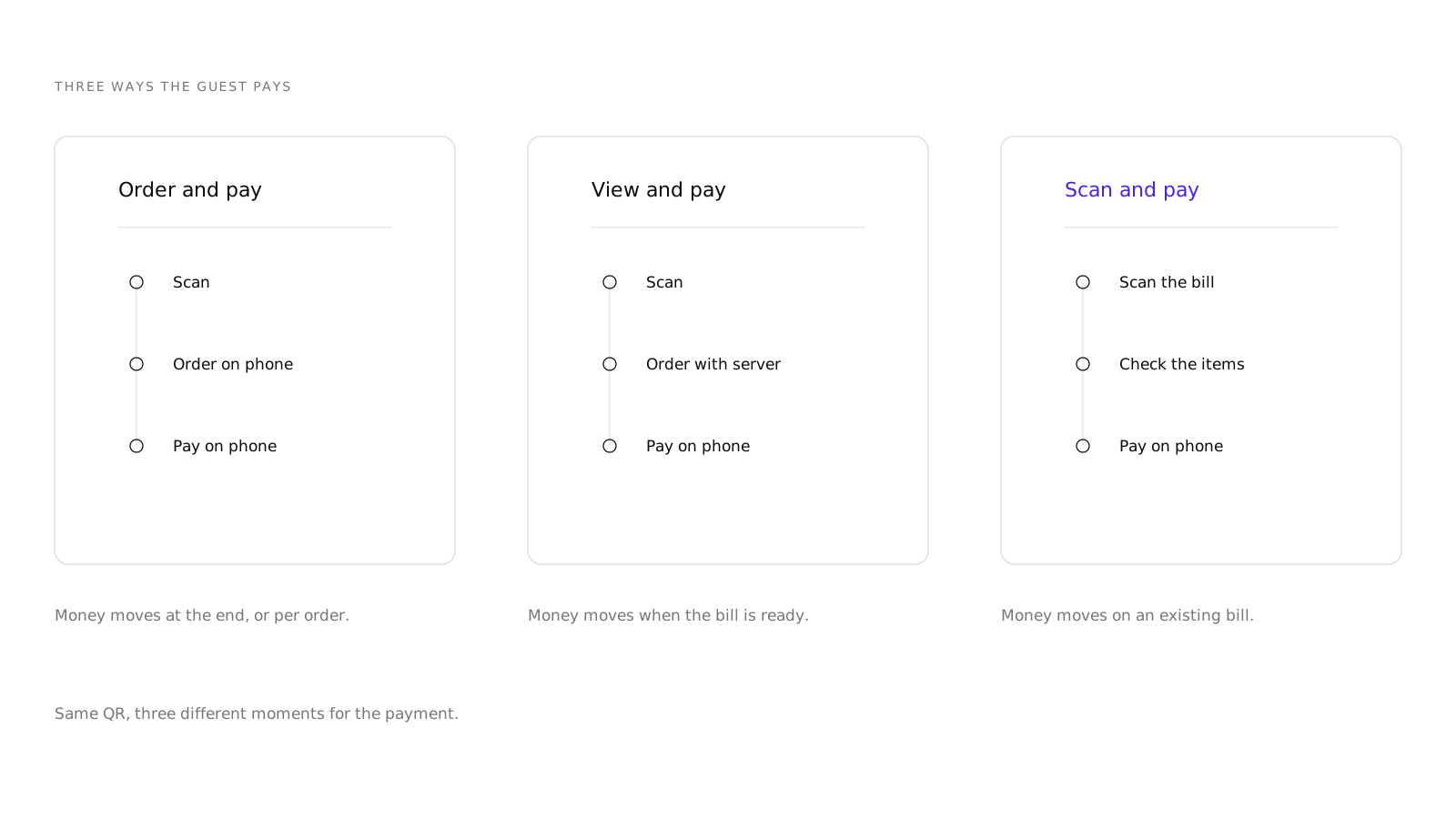
View and pay. The guest scans and reads the menu, but the order goes through a server in the usual way. When the meal ends, the guest pays the bill from the phone instead of waiting for a card machine. The dashboard labels this View & Pay.
Scan and pay. The guest scans once the bill is printed, lands straight on the bill, and pays. There is no menu browsing and no ordering in this moment. It is described in full in what is scan and pay.
Pay first is a fourth option that belongs in the same family. The guest pays before the order is sent to the kitchen. The dashboard groups it under Pickup, because that is how it behaves at the till.
Which one moves the money, and when?
| Flow | Guest orders | Guest pays | Money moves | Staff still needed for |
|---|---|---|---|---|
| Order and pay | Yes, from the phone | Yes, from the phone | On the order, or on the bill at the end | Running food, requests, settling edge cases |
| View and pay | No, through a server | Yes, from the phone | When the bill is ready | Taking the order, running food |
| Scan and pay | No | Yes, on an existing bill | When the bill exists and is unpaid | Printing the bill |
| Pay first | Yes, from the phone | Yes, before the kitchen starts | Before anything is made | Handing the food over |
Who should run order and pay?
Casual dining, pubs, cafes, breweries, anywhere the room is loud or the tables are far from the pass. The bigger the gap between a guest deciding to order a second round and a staff member noticing, the more order and pay is worth.
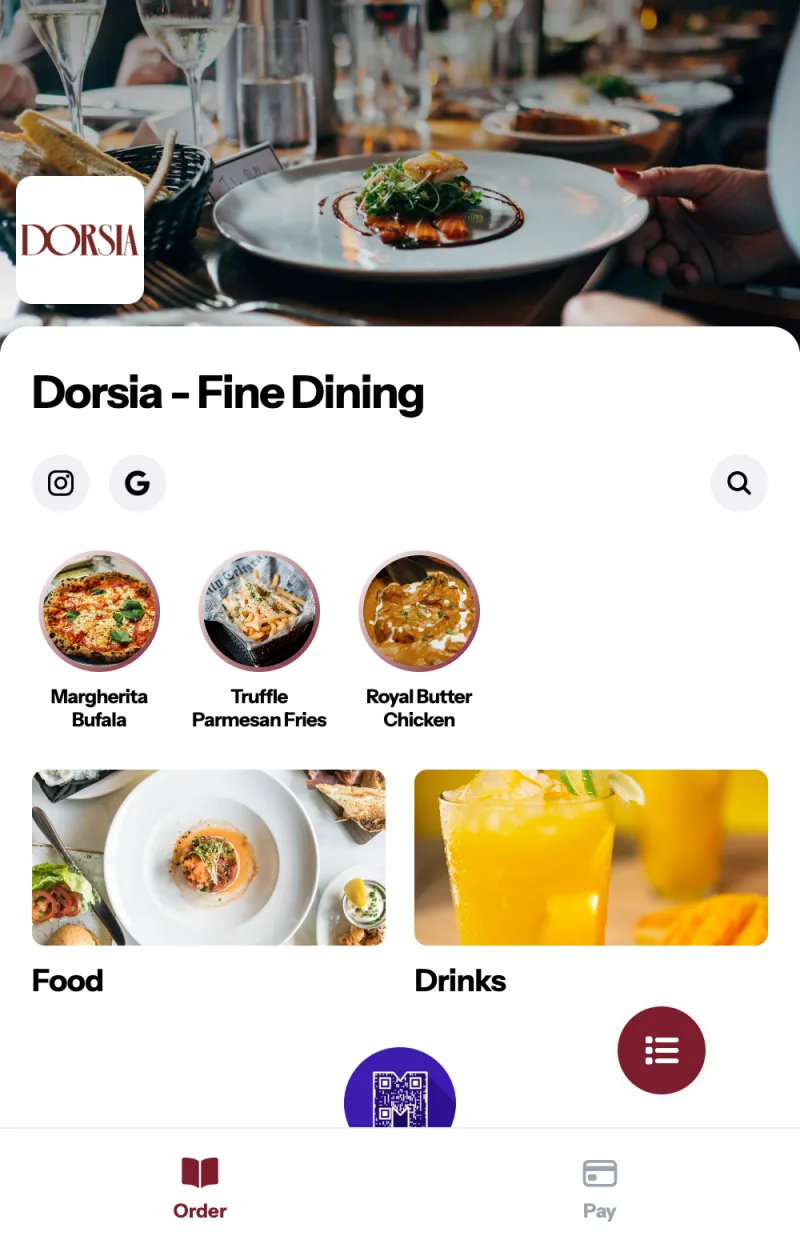
Two conditions matter. First, your tables need real numbers that match your POS, because the table number is baked into the QR link. Second, you need to be comfortable with the guest choosing for themselves, including the guest who orders four starters at once. If that worries you, start with the Order flow setting on "Your staff accept it first" so every order waits in the waiter app until someone accepts it.
Order and pay is also where upsells earn their keep. You can nominate up to four upselling dishes per dish, and they surface in the guest's cart. A server can do that too, but not on every table, every time. If you want to see what that looks like from the guest's side, create an account and order from your own table.
Who should run view and pay?
Fine dining, chef-led rooms, anywhere the order is part of the service. Nobody wants a tasting menu ordered through a phone. But the twenty minutes at the end, waiting for a bill and then waiting for a card machine, are pure loss for the guest and pure table time for you.
View and pay keeps the front of the meal human and fixes the back of it. The guest reads the menu on their phone if they want to, orders through a server, then settles when they are ready.
One detail: the Initial login setting is not offered on View & Pay outlets. There is nothing to sign in for until there is a bill.
Who should run pay first?
High-volume counters, food courts, weekend queues, and any venue where walkouts are a real cost rather than a rare annoyance. The guest pays before the kitchen starts, so there is no chase at the end.
The trade is that pay first is a worse fit for anything with a long dwell time. A guest who is going to order three more times over two hours does not want to pay three more times.
Can you run more than one?
Yes, and most multi-area venues should. The flow is a property of the outlet, and a restaurant can have several outlets: a dine-in room, a pickup counter, a delivery storefront. A pub with a rooftop and a ground floor bar can run order and pay upstairs and view and pay downstairs.
Two things to know before you split:
- Settlement is one setting for the whole restaurant. Manual or Automatic applies everywhere, whichever section is selected when you change it.
- Menu order is shared across channels. Dish order saves to every channel at once. Menu group order is per channel, with a separate action to apply one channel's order everywhere.
What does each flow need from your POS?
Dine-in ordering runs at PetPooja and Prism venues, because a dine-in order has to become a KOT and a bill inside the POS. That applies to order and pay, view and pay, and scan and pay alike: all three end in a bill, and the bill belongs to the POS.
A venue without a POS is not shut out. It runs delivery and pickup on its own storefront, where Muncho is the order system and there is no POS in the loop at all.
If you do run PetPooja, read how the PetPooja integration works before you choose, because two behaviours shape the flow you want: PetPooja decides accept or reject, and a till-paid bill sends no signal back to Muncho.
How do you change the flow later?
You are not locked in. Reprinting QR codes is the only physical cost, and even that is often avoidable because the table link does not change when the flow does.
In the dashboard, the flow lives in two places. The outlet type is set during onboarding and by the Muncho team. The behaviour on top of it is yours: Dine-in Settings controls whether guests can order at all, what they have to give you before they can, and whether orders go straight to the kitchen or wait for staff.
The practical order of operations is: start on view and pay, get your staff used to guests paying from their phones, then turn table ordering on for one section and watch it for a week.
Which flow should you start with?
If you have never run QR at the table, start with view and pay for two weeks. It changes one thing, the payment, and it fails safely: if a guest does not want to use it, they ask for the card machine and nothing is lost.
Then turn on order and pay in your busiest, loudest section with Order flow set to staff acceptance. That is the combination with the most upside and the least risk, and it is the one that tells you within a week whether your room wants this.
All of it comes with every plan, from Plus up, so beyond the plan the cost of finding out is your printing.
Questions restaurants ask
What is the difference between order and pay and scan and pay?
Order and pay is a whole service flow: the guest orders from the phone and pays from the phone. Scan and pay is only the ending: the guest scans, lands on a bill that already exists, and settles it. A venue can run both, because scan and pay is what happens when a bill has been printed.
Can one restaurant run different flows in different areas?
Yes. The flow is set per outlet, and a venue can have more than one outlet. A rooftop bar on order and pay and a fine-dining room on view and pay is a normal setup.
Does view and pay need a POS?
Paying a dine-in bill from the phone needs a bill, and bills come from the POS. Reading the menu does not need anything.
Which flow raises the average bill?
Order and pay usually does, because the menu sits in front of the guest for the whole meal instead of two minutes. We do not publish a number for this, because it depends entirely on your menu and your floor.
What happens if a guest orders and then walks out?
An unpaid bill is force-closed after thirty minutes and the table is vacated. Venues that settle manually and already have payment data on the bill are exempt.
Run this on your own menu
QR ordering at the table, your own delivery and pickup storefront, and payments straight to your account. India plans: Plus Rs 11,999, Pro Rs 23,999, Max Rs 49,999 a year per outlet, plus GST. Usage comes from your wallet.