Home / Blog / Payments & Tax
Payments & TaxGST on a Restaurant Bill: How It Shows Up on a QR Order
Where the tax on a QR order comes from, why it is not set in Muncho, how it prints on the digital bill, and what to check before you go live.
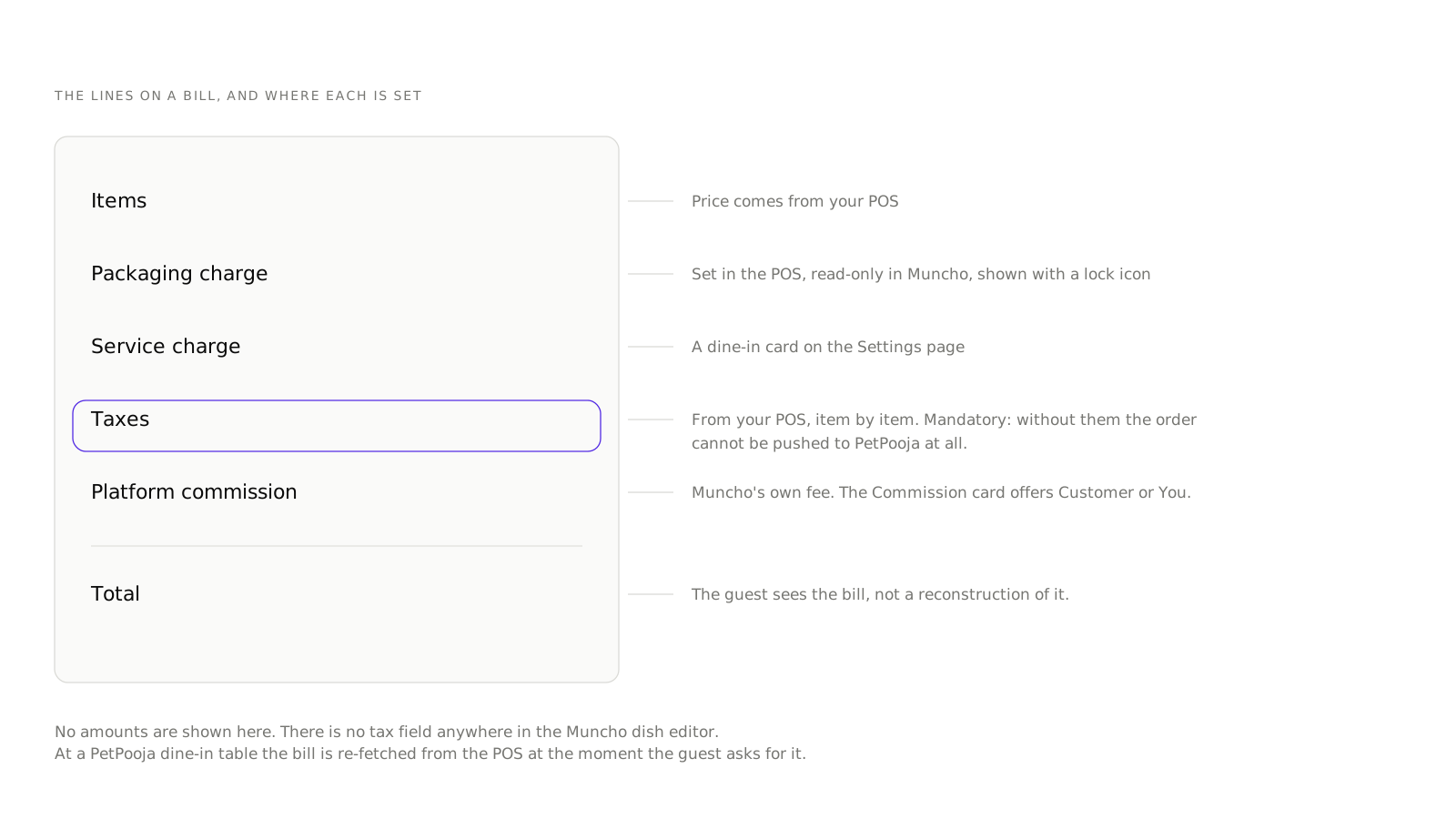
The tax on a QR order comes from your point of sale, not from Muncho. There is no GST field anywhere in the Muncho dish editor, and at a PetPooja venue tax configuration is mandatory: without it, an order cannot be pushed at all. The digital bill a guest sees on their phone carries the same tax lines your printed bill carries, because it is the same bill.
That single fact settles most of the confusion around QR ordering and tax. What follows is the rest of it: where each line on the bill is set, what changes when the guest pays on their phone, and what to check before you put a code on a table.
Who decides the tax on a QR order?
Your POS does, item by item.
When the menu syncs from PetPooja into Muncho, it brings across items, categories, variations, add-ons, taxes and packaging charges. Taxes are not optional in that payload. If they are missing, the order push fails, which is a strict behaviour and a useful one: it means you cannot accidentally sell through Muncho with no tax configured.
Prism works the same way from the other direction. Muncho pulls outlets, tables, taxes and items from your Prism server rather than receiving a webhook, but the ownership is identical: the POS holds the tax and Muncho applies it.
A venue without a POS runs delivery and pickup on its own storefront only, and its tax setup is arranged during onboarding rather than in a settings page you manage yourself.
Why is there no tax field in the dashboard?
Because two systems holding the same rate is how a restaurant ends up with two different bills for the same plate.
The Muncho dish editor deliberately stops short. It holds Display Name, Description, gallery, type and spicy meter, upselling dishes, tags, add-on groups, variations and the per-section rows. It does not hold price, it does not hold tax, and it does not hold item timings. Packaging charge appears with a lock icon and the words "from PetPooja" or "from Prism" or "from your POS".
If you want to change a tax, you change it in the POS and it reaches Muncho on the next sync. That is the only path, and it is the one that keeps the bill in one place. More on the split in how your menu gets into Muncho. If you want to see how little the dish editor holds, open an account and read one dish end to end.
What appears on the bill a guest sees?
A guest paying from their phone sees the bill, not a reconstruction of it.
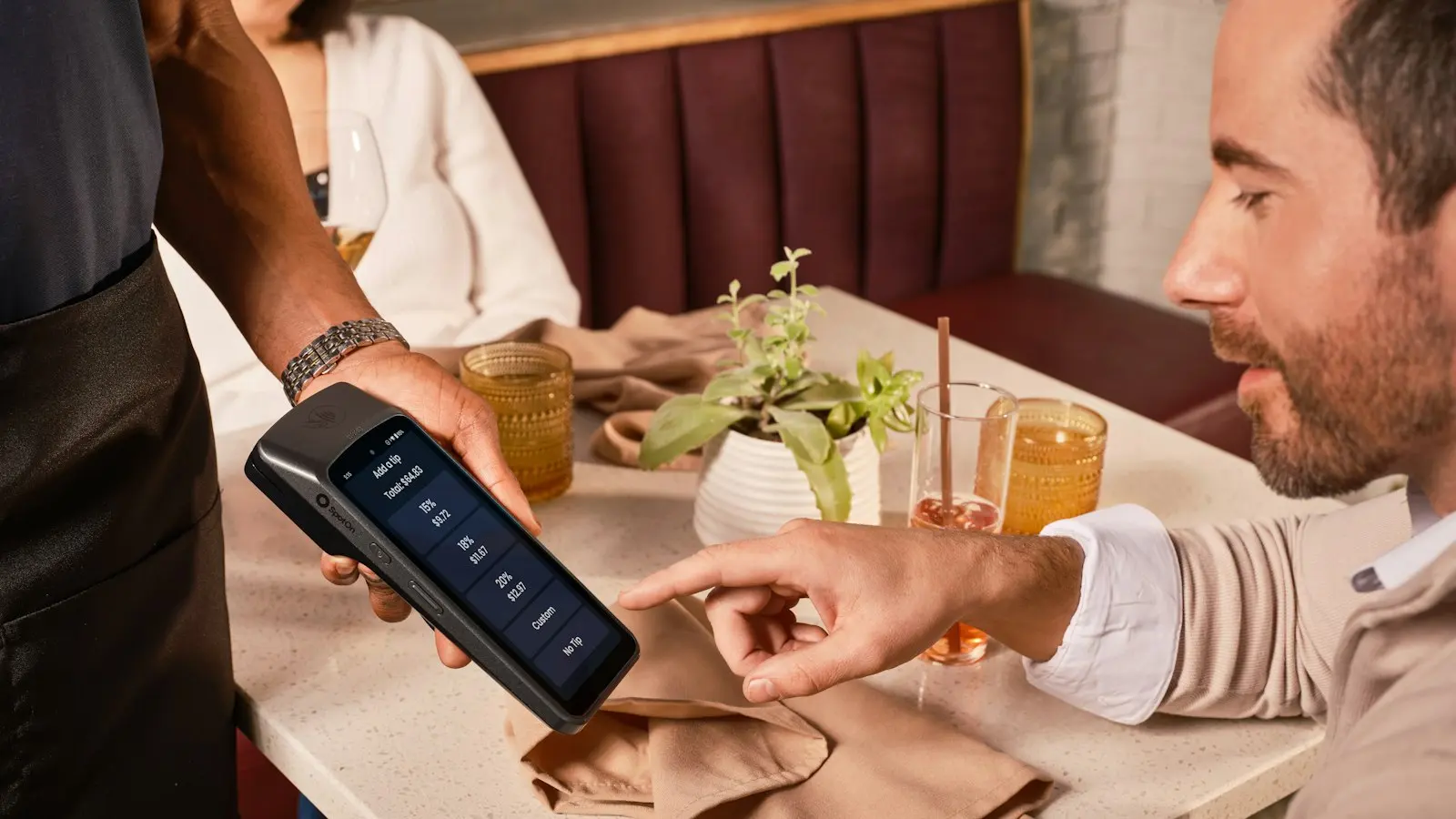
At a PetPooja dine-in table, Muncho does not trust a stored copy. The guest is offered "Get the bill" and the bill is re-fetched from PetPooja at that moment, so the total on the phone is the total on the till, taxes included. While the POS bill is still pending, the sheet carries an honest line: These are the items you ordered here. Get the bill to include anything your server added at the table.
Prism venues do not need the same treatment, because Prism bills sync from the POS about every minute.
So the tax lines on the phone are whatever the POS printed. If a guest queries the tax, the answer is in your POS configuration, not in Muncho.
What about charges that are not tax?
Three other lines can appear, and it helps to keep them mentally separate from GST.
- Packaging charge. Set in the POS, read-only in Muncho, per section. On the delivery and pickup Settings pages there is also a Packaging Charge card with a Fixed Amount or Percentage option.
- Service charge. A dine-in card on the Settings page.
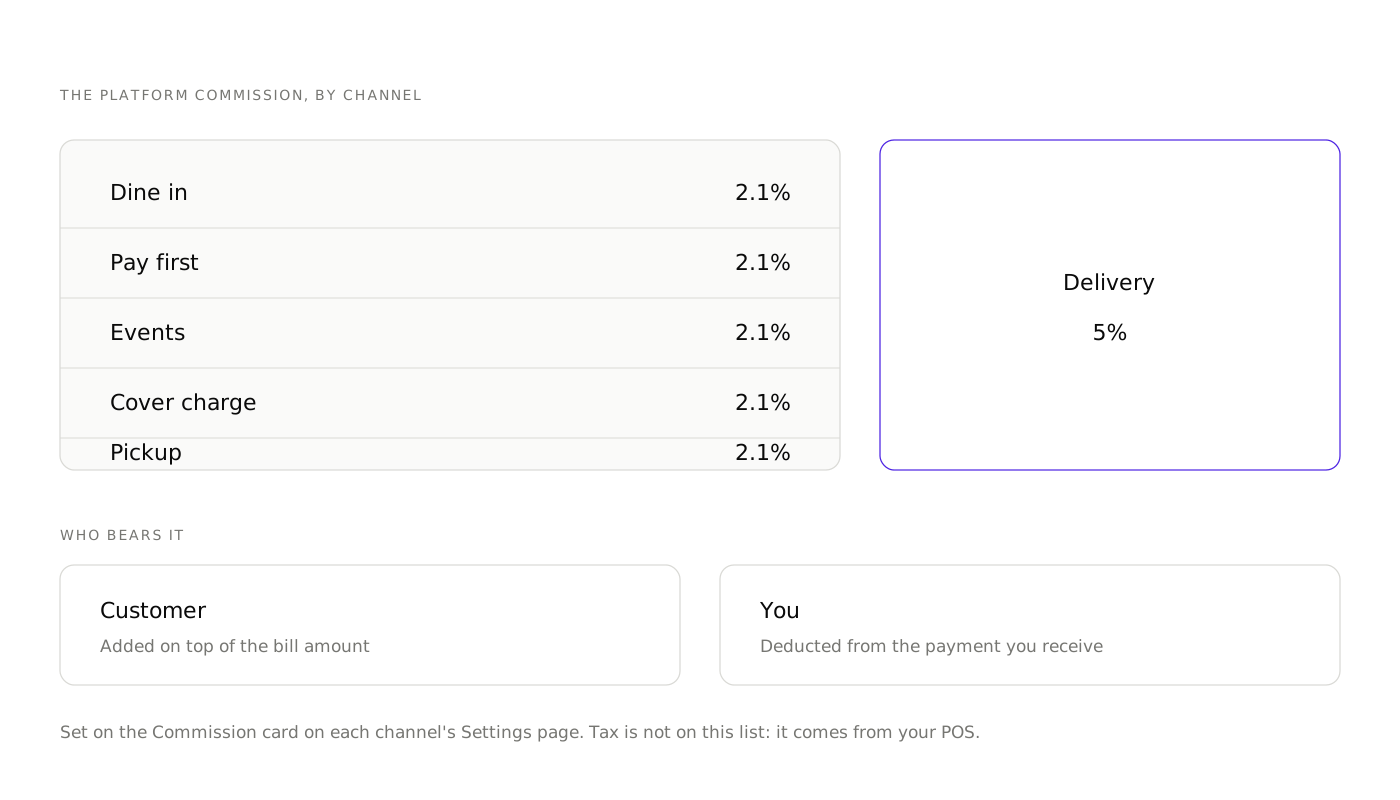
- The platform commission. This is Muncho's fee, and it is the one line you decide the treatment of. Each Settings page has a Commission card with two options, labelled Customer and You. Customer bears means the fee is added on top of the bill amount. Merchant bears means it is deducted from the payment you receive. The displayed rates are 2.1 per cent for dine-in, pay first, events, cover charge and pickup, and 5 per cent for delivery, the same figures the pricing page lists.
Whether a charge you add is itself taxable is an accounting question. Take it to your accountant rather than to a settings page.
What rate should you be charging?
We are not going to print a rate here, and you should be suspicious of any restaurant technology blog that does.
Food service rates in India depend on your category, whether you are claiming input tax credit, and the current notifications, which move. A rate that was right when a post was published quietly becomes wrong, and a wrong rate on a bill is your problem, not the blog's.
Two places to get it right: the notifications published by the Central Board of Indirect Taxes and Customs, and your own accountant, who knows which category you fall into. Petpooja keeps a readable summary of rate changes on their blog, which is a reasonable starting point as long as you confirm it against the notification before you change anything in your POS.
What should you check before going live?
- Open the Menu page and pick each section. Confirm the dishes, prices and variations arrived. If prices are missing you will see "Not set" on the section row.
- Place one real order end to end. Order from a phone, let the KOT print, and read the printed bill against the phone.
- Compare the tax lines. They should match exactly. If they do not, the sync has stale tax data and the fix is in the POS.
- Check a dish with an add-on and a variation. Tax on a composite item is where configuration mistakes surface.
- Check a delivery order separately. Packaging charge, delivery charge and tax treatment can all differ from dine-in.
- Decide who bears the commission on each channel, and tell your staff, because a guest who sees an extra line will ask them about it and not you.
What happens at the end of the day?
The POS is still your day-end. Muncho does not replace it and does not produce a tax report.
There is no Reports section in the dashboard. What exists is the Payments page, which has Bill Payments and Entry Payments tabs, type pills for Dine in, Delivery, Cover Charge, Ticketing and Payment Links, a date range, and a CSV export with the columns Payment ID, Type, Customer, Phone, Table or Pax, Receipt, Restaurant Amount, Method, Status and Paid Time.
That export tells you what was collected through Muncho. It is not a GST return and is not meant to be one. Your filing comes off your POS, which holds the bills. The practical use of the Muncho export is reconciliation: matching what guests paid on their phones against what your POS closed. Worth doing weekly, especially if you run manual settlement, because a bill can be paid and still open, as explained in the PetPooja integration.
One more caveat on that export: search and export run over the records already loaded on the page, so a very long date range can silently drop older rows. Export in shorter windows.
Questions restaurants ask
Where do I set GST in Muncho?
You do not. There is no tax field in the dish editor. Taxes come from your POS with the menu sync, and they are mandatory: at a PetPooja venue an order cannot be pushed without them.
Which GST rate applies to my restaurant?
That depends on your category, your input tax credit position and the current notifications, and it changes. Check the CBIC notifications or ask your accountant. We do not publish rates, because a rate that is wrong on a blog post becomes a wrong bill.
Is the tax different for dine-in, takeaway and delivery?
The treatment can differ, and it is a question for your accountant, not for the ordering system. Muncho applies whatever your POS has configured for that item and order type.
Does the guest see a tax breakdown on the phone?
Yes. The bill sheet on the guest's phone shows the charges that make up the total, and the bill itself is fetched fresh from the POS at a PetPooja dine-in table.
Is the Muncho commission taxed the same as the food?
No. The platform fee is a separate line from the food, and who pays it is your choice: the Commission card on each Settings page offers Customer or You.
Run this on your own menu
QR ordering at the table, your own delivery and pickup storefront, and payments straight to your account. India plans: Plus Rs 11,999, Pro Rs 23,999, Max Rs 49,999 a year per outlet, plus GST. Usage comes from your wallet.
Sources
- Petpooja, New GST Rates on Food, accessed 2026-09-19
- Central Board of Indirect Taxes and Customs, rate notifications, accessed 2026-09-19